
7 Mindbody Alternatives for Gyms & Studios in
September 19, 2026
You do not usually start looking for new gym management software because everything is going perfectly.
Maybe your monthly software bill keeps growing. Maybe your coaches only use a small part of the system. Or maybe you are paying for features your gym rarely needs while still relying on separate tools for marketing, referrals, and member engagement.
If you are considering a Mindbody alternative, the first question is not which platform has the longest feature list.
It is which one actually fits the way your business operates.
A martial arts school managing belt promotions, family memberships, and student attendance has different needs from a Pilates studio handling private appointments and reformer reservations.
A CrossFit gym may care more about workout programming and performance tracking, while a boutique fitness brand planning its third location needs centralized reporting and a consistent member experience.
Mindbody covers a broad range of fitness and wellness operations, but that does not automatically make it the right system for every business.
The good news is that there are several alternatives worth comparing.
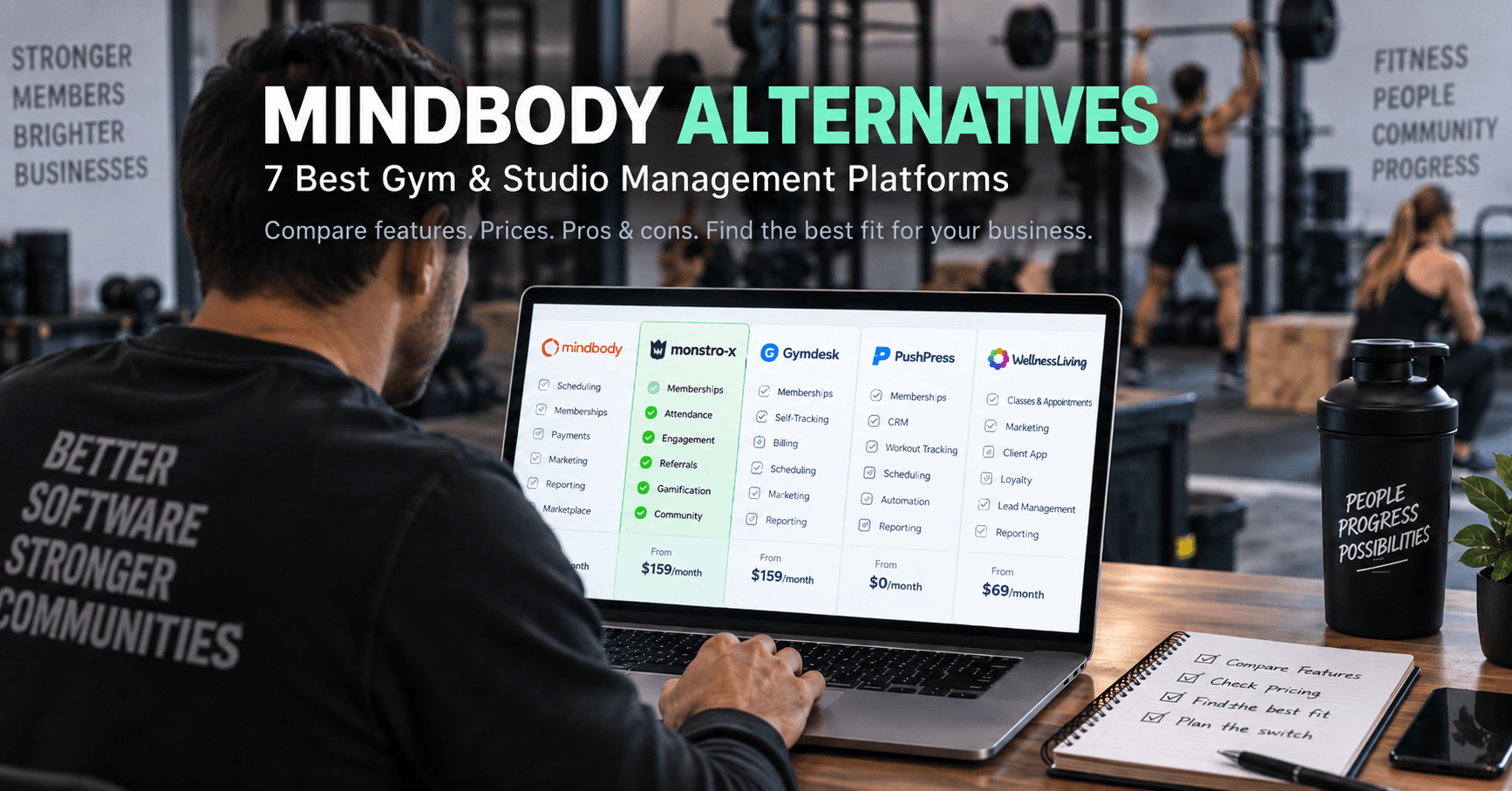
In this guide, we will look at seven Mindbody alternatives, including their main features, pricing, advantages, limitations, and the types of businesses they are suited for.
We will also cover what to check before switching so you do not replace one expensive problem with another.
Disclosure: This article is published by Monstro-X, one of the platforms included in this comparison. We have included other established software providers and their relevant strengths and limitations to help you evaluate the available options.
Pricing note: Prices are in USD and reflect publicly advertised U.S. pricing checked in September 2026. Promotional offers, processing fees, additional locations, communication usage, and optional features may affect your final cost.

What should you look for in a Mindbody alternative?
Before comparing software, identify the reason you are considering leaving Mindbody.
If your biggest concern is price, a platform with a lower starting subscription may sound attractive.
But if the new system requires separate subscriptions for marketing, reporting, member communication, and website management, you may end up spending more.
If your biggest concern is retention, switching to another scheduling and billing platform may not solve the problem.
And if your gym has several locations, choosing inexpensive software designed primarily for single-location businesses could create problems as you expand.
Your decision should start with the jobs your software needs to handle.
Membership management and billing
At a minimum, your software should make it easy to manage memberships, recurring payments, cancellations, freezes, failed payments, and account changes.
For martial arts schools, family memberships and multiple students under one billing account can be especially important.
Ask whether the platform can handle your existing membership structure without requiring complicated workarounds.
Scheduling and attendance
Your staff should be able to create classes, set capacity limits, manage bookings, handle waitlists, and record attendance without slowing down the front desk.
If you operate a class-based business, test how the system handles last-minute cancellations and rescheduling.
You should also consider what happens after attendance is recorded.
Can your staff identify members who have stopped attending regularly? Can they see the difference between a member who normally trains once a week and one who suddenly drops from four weekly visits to one?
That information becomes useful when you are trying to increase gym membership retention.
Lead management and marketing
A lead coming in while your coaches are teaching should not have to wait until someone remembers to check the inbox.
Look for lead capture, CRM functionality, follow-up reminders, email and text communication, and automation that fits your sales process.
Do not assume every platform includes those features in its entry-level plan.
Member engagement and retention
Booking and billing are only part of running a membership business.
You may also want tools for tracking progress, recognizing achievements, managing referrals, building community, and communicating with members between classes.
Think about the experience you want members to have after they enroll.
For a martial arts school, that might include belt progression and attendance milestones.
For a strength gym, it might involve workout tracking and personal records.
For a boutique studio, loyalty rewards and personalized communication might matter more.
Pricing and scalability
Your current member count is only one part of the decision.
Ask what your software will cost when you have twice as many members or open another location.
Some platforms charge according to active members. Others use fixed subscription tiers, separate product modules, or custom pricing.
The right pricing model depends on the size of your business, the features you need, and your growth plans.
With those criteria in mind, let us compare the alternatives.
Mindbody alternatives at a glance
Here is a quick overview of the seven platforms covered in this guide.
| Software | Starting price | Best fit | Main strength |
|---|---|---|---|
| Monstro-X | Free; paid plans from $159/month | Gyms and martial arts schools focused on retention | Member engagement, rewards, referrals, and community |
| Gymdesk | $75/month | Independent gyms and martial arts schools | Straightforward pricing and membership management |
| PushPress | Free; Pro from $159/month | CrossFit, strength, and functional fitness gyms | Modular gym management, CRM, and workout tools |
| WellnessLiving | $69/month | Yoga, Pilates, and wellness studios | Broad scheduling, appointment, marketing, and loyalty tools |
| ABC Glofox | From $99/month | Boutique fitness studios and growing brands | Member experience and multi-location management |
| Wodify | Promotional pricing from $99/month | CrossFit and performance-driven gyms | Workout tracking and gym operations |
| Zen Planner | $99/month | Martial arts schools and established gyms | Memberships, progression, attendance, and operational management |
These are advertised starting prices, not estimates of what a fully configured system will cost your business.
For example, a platform may advertise a low entry price while selling its CRM, marketing automation, branded app, or website separately.
Keep that distinction in mind as we look at each option.
Top 7 Mindbody alternatives
1. Monstro-X: Best for gyms and martial arts schools focused on retention and engagement
Best fit: Martial arts schools, gyms, and group-class businesses that want to manage memberships while building stronger member relationships through attendance monitoring, achievements, rewards, referrals, and community features.
Starting price: Free for smaller businesses. Paid plans start at $159/month.
Monstro-X approaches gym management from a slightly different angle than a traditional booking-first platform.
It handles the usual operational work, including memberships, classes, attendance, payments, reporting, staff management, events, and member communication.
But a significant part of the platform focuses on what happens after somebody becomes a member.
Are they attending consistently?
Can they see their progress?
Are they participating in the community?
Are they reaching milestones?
Would they be willing to refer someone?
These are important questions because membership management does not end when someone signs up and their first payment goes through.
Consider a martial arts student who normally attends three classes every week.
Over the past month, they have attended only four.
Your software may record every missed class correctly, but if nobody notices the change, that information does not help you retain the student.
Monstro-X is designed to connect attendance, progression, achievements, communication, and engagement so that these activities become part of your regular operating process.
Main features of Monstro-X
| Feature | What it helps you do |
|---|---|
| Membership management | Manage member profiles, memberships, and recurring payments |
| Class scheduling | Organize classes, schedules, and attendance |
| Smart attendance | Monitor attendance patterns and identify changes in member activity |
| Progression tracking | Track student development and martial arts progression |
| Achievements and rewards | Recognize milestones and encourage continued participation |
| Gamification and leaderboards | Create challenges, recognize effort, and encourage engagement |
| Automated referrals | Build repeatable referral programs for existing members |
| Community features | Help members connect and participate outside regular classes |
| Communication and notifications | Send reminders, updates, and member communications |
| Events and courses | Manage additional activities and educational content |
| Reporting and automation | Monitor operations and support recurring administrative workflows |
You can explore the platform's martial arts management features for more information about progression, attendance, and student engagement.
Monstro-X pricing
Monstro-X currently publishes three main plans:
| Plan | Monthly price | Intended business size |
|---|---|---|
| Free | $0 | Businesses with fewer than approximately 25 members |
| Basic | $159 | Businesses with approximately 25–100 members |
| Growth | $299 | Businesses with more than 100 members |
The Free plan has a published payment-processing rate of 4.9% + $0.30, while Basic and Growth list 2.9% + $0.30.
Email and AI usage are charged separately.
You can review the full details on the Monstro-X pricing page.
Pros and cons of Monstro-X
| Pros | Cons |
|---|---|
| Combines membership management with retention and engagement tools | Paid plans start higher than some basic management platforms |
| Includes achievements, rewards, referrals, and community features | The Free plan has a higher payment-processing rate |
| Supports martial arts progression and student engagement | Email and AI usage can create additional costs |
| Offers a free entry point for smaller businesses | May be more functionality than a business needs if it only wants simple scheduling and billing |
| Helps owners connect attendance information with member follow-up | Businesses relying heavily on Mindbody's consumer marketplace need to evaluate how they will replace that acquisition channel |
Why Monstro-X is a good fit
Imagine you run a martial arts school with 180 students.
Your recurring billing already works.
Your classes are regularly attended, and your instructors know how to deliver a good program.
But you are still losing students who gradually stop attending.
You also want to encourage more referrals, make belt progression easier for parents to understand, and create a stronger sense of community.
In that situation, simply replacing your billing system with another billing system will not address the bigger problem.
You need a repeatable process for identifying disengaged students, recognizing progress, encouraging participation, and keeping families connected to the school.
Monstro-X brings those capabilities into the same platform as your day-to-day management tools.
It is worth considering when member engagement and retention are central to the way you want to grow.
If you only need an inexpensive calendar and recurring billing, some of the simpler alternatives below may be sufficient.

2. Gymdesk: Best for straightforward gym and martial arts management
Best fit: Independent gyms, BJJ academies, martial arts schools, and studios that want membership management, billing, scheduling, and progression tracking with straightforward pricing.
Starting price: $75/month for up to 50 active members.
Gymdesk is built around a relatively simple pricing model.
Instead of paying more to unlock different collections of standard platform features, you choose a subscription based primarily on the number of active members in your business.
That makes the pricing easier to understand when comparing software.
Gymdesk covers memberships, billing, scheduling, attendance, website management, reporting, and marketing-related functionality.
It also includes martial arts-specific capabilities, such as rank and belt tracking.
For a school managing multiple programs, belt levels, and family memberships, these are practical features rather than nice extras.
Main features of Gymdesk
| Feature | What it helps you do |
|---|---|
| Membership management | Organize members, memberships, and family accounts |
| Automated billing | Process recurring payments and follow up on payment issues |
| Class scheduling | Manage classes, bookings, and attendance |
| Rank and belt tracking | Monitor student progression and promotion eligibility |
| Lead management | Capture and organize prospective members |
| Website management | Create a gym website and support online enrollment |
| Member portal | Give members access to their account information |
| Reporting | Monitor membership and business activity |
| Staff management | Provide access to staff without separate per-user subscription charges |
Gymdesk pricing
Gymdesk's published monthly prices are:
| Active members | Monthly price |
|---|---|
| Up to 50 | $75 |
| 51–100 | $100 |
| 101–200 | $150 |
| 201–400 | $200 |
| More than 400 | Custom pricing |
The platform includes its standard features across these plans.
A branded member app is available separately for $100/month, and additional locations and certain hardware-related services can also increase the total cost.
See the Gymdesk pricing page for current plan details.
Pros and cons of Gymdesk
| Pros | Cons |
|---|---|
| Clear pricing based on active membership | Subscription costs increase as your membership grows |
| Standard platform features are included across member tiers | A custom-branded mobile app costs extra |
| Includes martial arts rank and belt tracking | Additional locations and optional hardware can increase the total price |
| Includes a gym website and unlimited staff accounts | SMS and payment processing are separate costs |
| Offers a 30-day trial without a long-term contract | Its management-focused approach may not replace every specialized marketing or engagement tool a business already uses |
Why Gymdesk is a good fit
Consider a BJJ academy with 90 active members.
You have children's classes, adult classes, several membership types, recurring payments, and belt promotions.
You need software that handles these tasks reliably, but you do not want to pay for a complicated package of features that have little relevance to your school.
Gymdesk is worth comparing because its pricing is tied primarily to your active member count, and its martial arts functionality is part of its standard platform.
It is also useful for owners who want to understand their software costs without needing a separate quote for every major feature.
The important thing is to compare what the subscription will cost as your school grows, particularly if you plan to add locations or a branded app.
3. PushPress: Best for CrossFit, strength, and functional fitness gyms
Best fit: CrossFit boxes, strength gyms, functional fitness facilities, and training businesses that want gym-specific management software with optional CRM and workout programming tools.
Starting price: Free. Paid Core plans start at $159/month.
PushPress is designed around the way gyms operate.
Its Core product handles memberships, recurring billing, class scheduling, check-ins, waivers, member management, and reporting.
The platform also offers separate products for more specialized needs.
PushPress Grow provides CRM and marketing functionality, while PushPress Train supports workout programming and tracking.
This modular approach can be useful if you want to start with basic operations and add more advanced features as your gym grows.
However, the total cost can look very different once those additional products are included.
Main features of PushPress
| Feature | What it helps you do |
|---|---|
| Membership management | Manage memberships, accounts, and member information |
| Billing and payments | Collect recurring and one-time payments |
| Class scheduling | Manage sessions, bookings, and check-ins |
| Digital waivers | Collect and manage member agreements |
| Member and staff tools | Give members and employees access to relevant information |
| Reporting | Monitor revenue, memberships, and operations |
| CRM and lead management | Manage inquiries and prospective members through PushPress Grow |
| Marketing automation | Automate follow-up and communication through Grow |
| Workout programming | Manage training programs through PushPress Train |
| Workout tracking | Let members record training activity through Train |
PushPress pricing
PushPress currently offers three Core plans:
| Plan | Monthly price |
|---|---|
| Free | $0 |
| Pro | $159 |
| Max | $229 |
The Free plan has a published credit card processing rate of 4.99% + $0.30.
The Pro and Max plans currently list lower card-processing rates of 2.89% + $0.30 and 2.75% + $0.30, respectively.
Additional products include Grow at $329/month and Train starting at $79/month. Branded app options are also separately priced.
You can check the PushPress pricing page for the current breakdown.
Pros and cons of PushPress
| Pros | Cons |
|---|---|
| Offers a free Core plan | The Free plan has a higher payment-processing rate |
| Designed around gym operations rather than general appointment booking | CRM and advanced marketing require the separate Grow product |
| Allows businesses to add products as their requirements change | Adding Grow, Train, and a branded app can substantially increase the monthly cost |
| Supports scheduling, billing, check-ins, and member administration | Owners need to compare several products to calculate the complete cost |
| Offers dedicated workout programming and tracking through Train | The modular setup may be unnecessary for businesses wanting only basic administration |
Why PushPress is a good fit
Imagine you are opening a functional fitness gym.
You need recurring billing, class booking, member records, and check-ins from the beginning.
But you may not need a sophisticated CRM or branded mobile app immediately.
PushPress allows you to begin with Core and add other products later.
As lead volume grows, you can consider Grow.
As your training operation becomes more sophisticated, you can consider Train.
That flexibility can be useful for a gym whose software requirements are changing with the business.
The important part is to calculate the cost of the complete setup you expect to need, not just the Core subscription you are buying today.
4. WellnessLiving: Best for yoga, Pilates, and multi-service fitness studios
Best fit: Yoga studios, Pilates studios, boutique fitness businesses, and wellness operators that need a broad platform for classes, appointments, payments, marketing, and client management.
Starting price: $69/month.
WellnessLiving is one of the more direct alternatives to Mindbody for businesses offering a mixture of classes and appointments.
It includes scheduling, client management, payment processing, mobile apps, and communication tools.
Higher plans add marketing, lead management, events, rewards, and loyalty functionality.
That broad approach matters for businesses that do more than one type of service.
A Pilates studio, for example, may operate group reformer classes, private sessions, workshops, and retail sales.
A narrow membership platform may handle recurring payments perfectly while struggling with the rest of that operation.
WellnessLiving is designed for a broader range of studio and wellness workflows.
Main features of WellnessLiving
| Feature | What it helps you do |
|---|---|
| Class and appointment scheduling | Manage group classes, private sessions, and client bookings |
| Client management | Maintain profiles, bookings, and membership information |
| Payment processing and POS | Collect payments for services, memberships, and retail |
| Client mobile app | Allow members to view schedules and manage bookings |
| Staff mobile app | Help staff manage schedules and daily operations |
| Marketing | Run email and text marketing through eligible plans |
| Lead management | Organize prospective clients and sales activity |
| Rewards and loyalty | Encourage continued participation and repeat visits |
| Events | Organize workshops, events, and additional services |
| White-label app | Provide a business-branded client app on eligible plans |
WellnessLiving pricing
WellnessLiving currently publishes these standard monthly prices:
| Plan | Monthly price |
|---|---|
| Starter | $69 |
| Business | $199 |
| BusinessPro | $349 |
| Enterprise | Custom pricing |
Starter includes class and appointment booking, client and staff apps, payments, and notifications.
Business adds unlimited staff, rewards, events, marketing, and lead management.
BusinessPro includes a white-label version of the client app.
Promotional discounts and annual billing can reduce the advertised price temporarily or under different payment terms.
See the WellnessLiving pricing page for current offers.
Pros and cons of WellnessLiving
| Pros | Cons |
|---|---|
| Supports both classes and private appointments | Starter includes only one staff member |
| Covers a broad range of fitness and wellness operations | Lead management and marketing require a higher plan |
| Provides client and staff mobile apps | A white-label client app is tied to a more expensive plan |
| Offers rewards, loyalty, marketing, and events on eligible plans | The price increases substantially between Starter and Business |
| Includes data migration in its published Starter offering | Promotional prices can make the long-term subscription cost less obvious |
Why WellnessLiving is a good fit
Consider a Pilates studio with eight instructors.
You run group classes, private appointments, workshops, and occasional events.
Your customers want convenient online booking, and your staff need access to schedules and client information.
You also want to manage marketing and loyalty programs without relying on several unrelated tools.
WellnessLiving deserves attention because it covers much of the same broad operational territory as Mindbody.
If you are leaving Mindbody because you want to compare another full-featured studio and wellness platform, rather than move to narrower gym software, WellnessLiving is a logical option.

5. ABC Glofox: Best for boutique fitness studios and growing brands
Best fit: Boutique fitness studios, Pilates studios, boxing studios, cycling businesses, and operators planning to expand across multiple locations.
Starting price: From $99/month for eligible businesses.
ABC Glofox focuses on fitness businesses where class booking, member experience, branding, and growth are central to daily operations.
It covers memberships, scheduling, payment processing, member and staff apps, reporting, and communication.
Higher packages and optional products provide additional CRM, automation, branded-app, and multi-location functionality.
One feature worth considering is equipment and spot-based booking.
If your Pilates studio has twelve reformers or your cycling studio allows members to reserve specific bikes, this type of booking capability can be important.
The platform also supports businesses operating across multiple locations.
Main features of ABC Glofox
| Feature | What it helps you do |
|---|---|
| Membership management | Manage memberships, member profiles, and payments |
| Class scheduling | Organize classes, bookings, capacity, and waitlists |
| Equipment and spot booking | Let members reserve specific bikes, reformers, or other available spaces |
| Member mobile app | Provide mobile booking and account access |
| Staff app | Help staff manage daily studio operations |
| Lead capture | Collect prospective member information |
| CRM and sales tools | Manage leads and sales activity through eligible packages or additional products |
| Automated communication | Support member and prospect follow-up |
| Reporting and analytics | Monitor studio performance and operational activity |
| Multi-location management | Coordinate operations and reporting across locations |
ABC Glofox pricing
ABC Glofox advertises plans starting at $99/month.
Its main published plan categories include Essential, Boost, and Elite.
Essential covers the core operational tools.
Boost introduces additional functionality such as lead capture, advanced reporting, retail, agreements, targeted communication, and task management.
Elite extends the platform's capabilities for more complex operations and growth.
Final pricing depends on the selected package, number of locations, business requirements, and optional features.
You can review the available packages on the ABC Glofox plans page.
Pros and cons of ABC Glofox
| Pros | Cons |
|---|---|
| Designed around boutique fitness and class-based businesses | Full pricing requires a sales quote |
| Supports equipment and specific-spot reservations | Advanced functionality may require higher packages or additional products |
| Offers member-facing mobile booking tools | The advertised starting price does not show the complete cost of every configuration |
| Provides options for multi-location management | Smaller gyms may not need the broader scaling infrastructure |
| Includes lead-management and communication capabilities on eligible packages | Businesses need to confirm exactly which branding and automation features are included |
Why ABC Glofox is a good fit
Imagine your boutique boxing studio has become popular enough to open a second location.
You want members to have the same booking experience at both facilities.
Your management team needs visibility across locations, but each studio still has its own schedule and operational requirements.
You may also want a branded app, consistent member communication, and a centralized view of performance.
Those requirements are different from running a single independent gym.
Glofox is worth comparing when your business model depends heavily on organized classes, a consistent member experience, and the ability to manage more than one location.
Before signing, request a quote that includes all the locations and features you expect to need.
6. Wodify: Best for CrossFit and performance-driven gyms
Best fit: CrossFit affiliates, strength and conditioning facilities, functional fitness gyms, and training businesses that want member management closely connected with workout programming and performance tracking.
Starting price: Promotional pricing from $99/month per location. The regular advertised starting price is $199/month.
Wodify goes beyond ordinary scheduling and billing.
It offers tools for managing members, payments, bookings, waivers, leads, and communication, while also supporting workout programming and performance tracking.
For a business where training results are part of the member experience, this can be an important distinction.
A CrossFit member may want to view the day's workout, record a personal best, and compare their performance with previous sessions.
A coach may want access to training information alongside attendance and membership records.
Wodify's broader platform is designed to support that connection.
Main features of Wodify
| Feature | What it helps you do |
|---|---|
| Membership management | Manage members and their account information |
| Billing and payments | Collect membership and other payments |
| Class scheduling | Organize classes, reservations, and attendance |
| Digital waivers | Collect and manage member agreements |
| Workout programming | Publish and manage training programs |
| Performance tracking | Record workout results and member progress |
| Lead management | Organize prospective members on eligible plans |
| Marketing automation | Run communication and follow-up workflows |
| Attendance monitoring | Track activity and identify members who may be disengaging |
| Family accounts | Manage family groups and shared payments on eligible plans |
| Reporting | Review business and member activity |
Wodify pricing
Wodify currently advertises three main packages:
| Plan | Pricing |
|---|---|
| Essentials | Regular starting price of $199/month per location, with a current $99 promotional offer |
| Accelerate | Request pricing |
| Ultimate | Request pricing |
Essentials includes core operational tools.
Accelerate adds capabilities such as lead management, dashboards, family groups, and marketing automation.
Ultimate includes additional functionality such as performance tracking, a custom website, and expanded automation.
Wodify's current promotional offer advertises a $100 monthly discount for qualifying customers who book a demo by September 30, 2026.
An onboarding fee also applies.
Review the Wodify pricing page for the latest promotion terms and plan details.
Pros and cons of Wodify
| Pros | Cons |
|---|---|
| Connects gym administration with workout and performance management | Several advanced features are available only on higher plans |
| Particularly relevant for CrossFit and functional fitness | Full pricing for Accelerate and Ultimate requires a quote |
| Offers lead management and automation on eligible plans | The advertised $99 starting price is promotional |
| Supports member attendance and engagement monitoring | Onboarding fees and optional products affect the total cost |
| Provides workout programming and performance tracking capabilities | A business that only needs basic booking may not use much of its training functionality |
Why Wodify is a good fit
Imagine your gym has 150 members who regularly track workout results.
Your coaches program classes, members record personal records, and progress is a major part of how you keep people engaged.
If you use one platform for membership billing and another for workout programming, you may want to bring those activities closer together.
Wodify is worth evaluating when the training experience itself is an important part of your software decision.
The value is not simply in booking a class.
It is in helping coaches and members manage the work that happens during and between those classes.
7. Zen Planner: Best for established gyms and martial arts schools
Best fit: Martial arts schools, CrossFit gyms, functional fitness facilities, and established membership businesses that want a broad operational platform with progression and training-related functionality.
Starting price: $99/month for up to 45 active members.
Zen Planner is an established management platform built around membership-based fitness businesses.
Its Studio product covers memberships, billing, scheduling, attendance, reporting, payroll, member and staff apps, belt and skill tracking, and workout management.
The platform uses active-member pricing for its main Studio subscription.
Rather than unlocking basic Studio features by moving through different subscription packages, businesses pay according to the number of active members.
Zen Planner also offers additional products, including website services and Zen Planner Engage for more advanced marketing and lead management.
Main features of Zen Planner
| Feature | What it helps you do |
|---|---|
| Membership management | Manage members, plans, and recurring memberships |
| Billing | Process membership payments and manage accounts |
| Scheduling | Organize classes and bookings |
| Attendance tracking | Monitor member participation |
| Belt and skill tracking | Record martial arts progression |
| Workout tracking | Manage and monitor member training activity |
| Payroll | Support staff payroll management |
| Member and staff apps | Provide mobile access to relevant information |
| Reporting | Monitor memberships and business performance |
| Marketing CRM | Manage leads and campaigns through Zen Planner Engage |
Zen Planner pricing
Zen Planner currently publishes the following monthly Studio prices:
| Active members | Monthly price |
|---|---|
| 0–45 | $99 |
| 46–60 | $133 |
| 61–75 | $155 |
| 76–100 | $189 |
| 101–150 | $229 |
| 151–200 | $239 |
| 201–250 | $269 |
| 251+ | $289 |
Optional products include a website, Zen Planner Engage, and a branded app.
The published standalone prices include $99/month for the website, $249/month for Engage, and $39/month for a branded app.
Zen Planner also offers bundles combining selected products.
Check the Zen Planner pricing page before making a purchase.
Pros and cons of Zen Planner
| Pros | Cons |
|---|---|
| Covers a broad range of gym and martial arts operations | Subscription costs increase with active-member count |
| Includes belt and skill tracking | Advanced marketing requires a separate product or bundle |
| Provides attendance, scheduling, reporting, and payroll tools | A website and branded app may add to the monthly cost |
| Standard Studio features are available across membership-based pricing tiers | The complete software package can cost considerably more than the starting price |
| Supports workout tracking and training-related operations | Businesses seeking only simple billing and scheduling may not need its broader functionality |
Why Zen Planner is a good fit
Consider a martial arts school offering Brazilian Jiu-Jitsu, kickboxing, children's karate, and private lessons.
You need a system for managing several programs, recurring memberships, attendance, belt progression, and staff operations.
You may also want reporting and workout-related tools without maintaining several disconnected systems.
Zen Planner covers that operational territory.
It is worth comparing if you want a mature management system that understands both memberships and the training activities your business delivers.
However, if you also need advanced marketing, a website, and a branded mobile app, calculate the full package cost before comparing it with other platforms.
Which Mindbody alternative is the right fit for your business?
There is no single platform that makes sense for every gym or studio.
A better approach is to match the software to the type of business you operate and the main problem you want to solve.
| Your business or main priority | Platforms to compare | Why they are relevant |
|---|---|---|
| Martial arts school focused on retention and student engagement | Monstro-X | Combines membership management with progression, attendance, rewards, referrals, and community tools |
| Independent gym seeking straightforward administration | Gymdesk | Published member-based pricing with standard management functionality |
| CrossFit or strength gym wanting modular software | PushPress | Core management with optional CRM and training products |
| Yoga, Pilates, or wellness studio | WellnessLiving | Supports classes, appointments, marketing, and client management |
| Boutique studio preparing to expand | ABC Glofox | Offers class-based booking, member experience, and multi-location functionality |
| Gym focused on workout programming and performance | Wodify | Connects operational management with training and performance features |
| Established martial arts school wanting broad operational tools | Zen Planner | Includes memberships, attendance, progression, payroll, and workout management |
Use this as a shortlist, not a final decision.
Two businesses offering exactly the same classes may still need different software because of their staffing, pricing, marketing process, or expansion plans.
The next step is to look at what your current platform does well and what you would actually gain by switching.
When should you stay with Mindbody instead of switching?
An alternative is not automatically better simply because it is newer, cheaper, or more specialized.
Mindbody still offers functionality that may be valuable to your business.
Its current U.S. plans start at $79/month per location and cover business management, payments, booking, reporting, website tools, and access to the Mindbody consumer marketplace.
Higher plans add capabilities such as room and resource scheduling, advanced reporting, marketing automation, lead management, and additional analytics.
Mindbody also advertises more than 100 integrations.
For some businesses, those features are worth keeping.
You rely on Mindbody to bring in new customers
One of Mindbody's more distinctive features is its consumer marketplace.
According to Mindbody, the marketplace reaches more than three million monthly shoppers.
Businesses can use the marketplace to make their services available to people who may not have discovered them directly.
Mindbody currently lists a marketplace fee of 20% of the first purchase made by a new customer acquired through that channel, capped at $30.
Subsequent purchases from that customer are commission-free.
If marketplace bookings are a meaningful source of new customers for your business, you need to consider what happens when that channel disappears.
Saving money on management software is useful.
Losing a profitable customer acquisition channel may offset those savings.
You operate a complex wellness business
A business running group classes, private appointments, room rentals, equipment reservations, and several service types may benefit from Mindbody's broad functionality.
Before switching to a narrower gym management platform, test the workflows that make your business more complicated.
Do not assume every alternative supports them in the same way.
You already depend on Mindbody integrations
If your website, accounting system, marketing tools, payment setup, and other business processes are already connected to Mindbody, migration becomes a larger project.
A cheaper subscription may still justify switching.
But the work involved in replacing those connections belongs in the cost calculation.
You can review Mindbody's current features and packages on its official pricing page.

How much does switching from Mindbody actually cost?
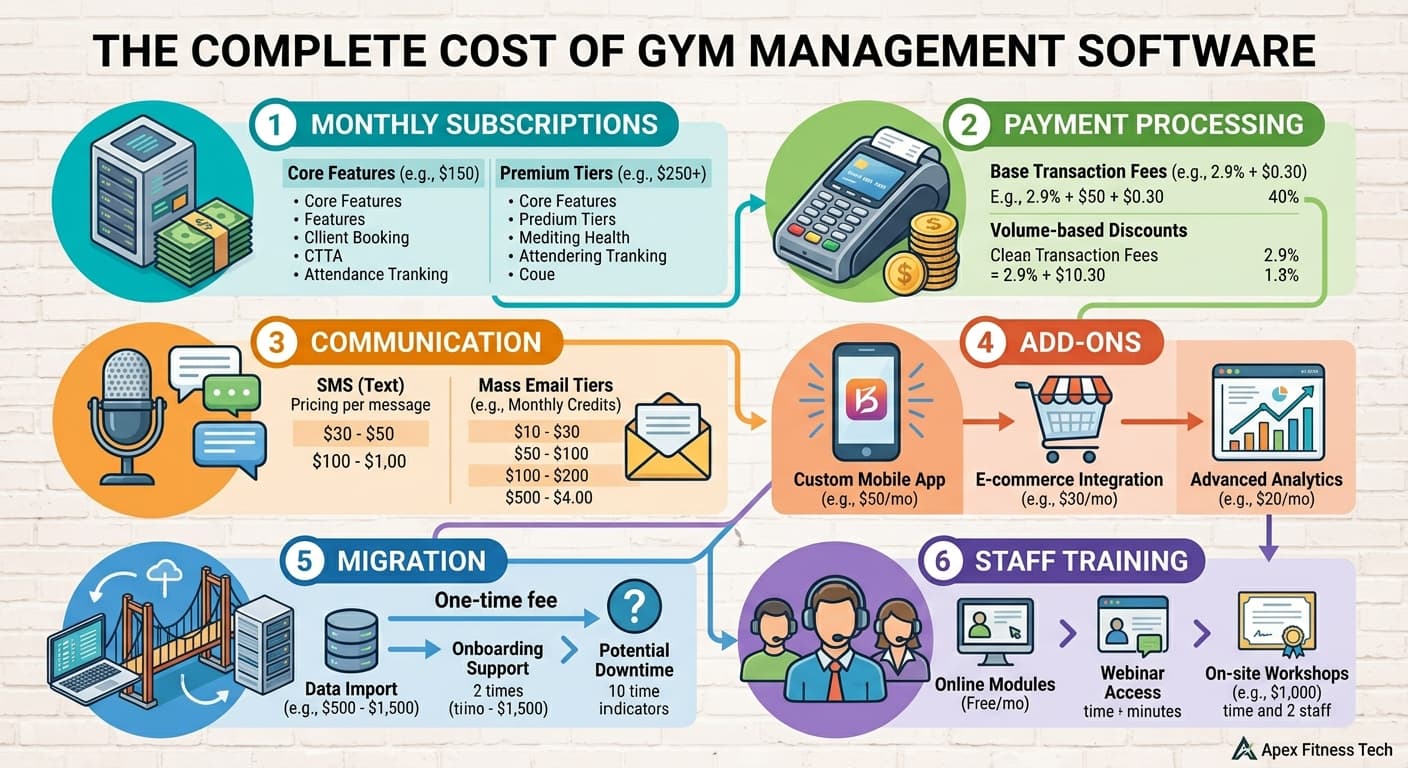
Monthly subscription fees are only one part of the decision.
A platform may advertise a lower starting price but require extra products for capabilities you currently use.
You may also face migration costs, onboarding fees, payment-processing differences, and staff training time.
A more useful way to compare platforms is to calculate the complete cost of running each system.
Calculate your total monthly software cost
Use this formula:
Total monthly software cost = Subscription + payment processing + communication usage + required add-ons + other software you still need
For example, imagine your gym has 200 members.
You want membership management, automated lead follow-up, a branded member app, and workout tracking.
A platform advertising a $100 base subscription may look inexpensive.
But if the CRM costs another $150, the app costs $100, and workout tracking costs $75, your actual subscription becomes $425/month.
Those figures are hypothetical, but they illustrate why comparing starting prices alone can be misleading.
Your payment-processing setup matters too.
If you collect $20,000 per month through card payments, a difference of one percentage point in processing rates represents $200 per month before accounting for fixed transaction charges.
That may be a bigger difference than the software subscription itself.
Check what happens as your business grows
Some platforms increase their subscription when you move into a higher active-member bracket.
Others charge separately for additional locations.
Some include unlimited staff, while others restrict the number of staff accounts on lower plans.
Before making a decision, calculate what you would pay at your current size and at your next realistic growth milestone.
You want software that makes sense for the business you are building, not only the business you have today.
How to switch from Mindbody without disrupting your gym
Changing management software affects more than your office computer.
Your members may need to update their payment information, download a new app, or learn a different booking process.
Your staff need to understand the new system.
And you need to make sure important records do not disappear during migration.
The safest approach is to plan the transition before canceling your current subscription.
Step 1: Write down what your existing software handles
Start with your actual daily operations.
List your membership types, payment schedules, class bookings, attendance records, waivers, staff permissions, marketing automations, and reporting requirements.
Include the awkward cases.
For example:
- A family with three children on one billing account.
- A member whose membership is currently frozen.
- A student approaching a belt promotion.
- A customer with an existing class package.
- Someone with a failed payment.
- A member who books private sessions and regular group classes.
These are the situations that tend to expose limitations in a new system.
Step 2: Ask what data can be migrated
Before signing a contract, find out whether the new platform can import your existing information.
Important records may include member profiles, membership agreements, billing information, attendance history, class schedules, waivers, and progression records.
Do not assume payment details can be transferred automatically.
Ask both providers how existing recurring payments and stored payment methods will be handled.
You may need to arrange a supported payment-data migration or have members update their information.
Step 3: Test the new software with real workflows
A sales demonstration is useful, but it is not the same as using the software during a normal working day.
Ask your staff to complete tasks they handle regularly.
Have someone create a membership, freeze an account, move a booking, record attendance, and find a member's payment history.
If you run a martial arts school, test belt progression and family accounts.
If you run a Pilates studio, test equipment reservations and private appointments.
If you operate multiple locations, test how staff permissions and location-level reporting work.
The software should make sense to the people who will use it, not just the person presenting the demo.
Step 4: Prepare your staff and members
Your staff need to know when the change is happening and what will be different.
Members may need instructions for accessing a new booking system, downloading an app, or updating payment information.
Keep those instructions simple.
Avoid introducing every new feature immediately.
Your first priority is to make sure members can book classes, attend sessions, and pay for their memberships without unnecessary disruption.
Step 5: Check everything before canceling Mindbody
Before shutting down your old system, confirm that the new one can support your live operations.
Check that membership records are accurate, billing schedules are correct, class capacities are configured, and staff can access the information they need.
Keep appropriate backups or exports of your existing records, subject to your contractual obligations and applicable data protection requirements.
Do not cancel your current system until you understand which information you still need to retain and how it will remain accessible.
Questions to ask before choosing a Mindbody alternative
A polished sales demonstration can make almost any software look attractive.
The real test is whether the platform can handle your operation reliably and at a price that makes sense.
Use this checklist during your software evaluations.
Pricing and contracts
- What is the full monthly price for the features we need?
- Which features require additional products or higher plans?
- What are the payment-processing rates?
- Are there onboarding, migration, or setup fees?
- Are SMS, email, or other usage-based charges billed separately?
- What happens to the price when we add members or locations?
- Is there a minimum contract period or cancellation fee?
Memberships and daily operations
- Can the platform handle our existing membership types?
- Does it support family accounts and shared payments if needed?
- Can members freeze, cancel, or change memberships easily?
- Does it support our class capacity, booking, and waitlist requirements?
- Can staff record attendance without complicated steps?
- Does it support our progression or workout tracking needs?
Marketing and member engagement
- Can we capture and organize new leads?
- Can we automate appropriate follow-up?
- Can staff identify members whose attendance is declining?
- Does the platform support the communication channels we use?
- Can we manage referrals, rewards, events, or community activities?
- Can we measure the results of these activities?
Migration and support
- What data can be imported from Mindbody?
- How will existing recurring payments be handled?
- Will members need to update their payment information?
- Who is responsible for migration?
- What training is provided for staff?
- How do we reach support when something goes wrong?
- Can we export our information if we decide to leave later?
You do not need every platform to answer every question with yes.
You need to understand which requirements are essential for your business and which trade-offs you are willing to accept.
Frequently asked questions about Mindbody alternatives
What is the best alternative to Mindbody for a small gym?
The answer depends on what your gym needs.
Gymdesk offers published member-based pricing and a broad collection of standard management features.
PushPress offers a free Core plan for businesses that want to begin with basic gym operations.
Monstro-X offers a free plan for smaller businesses and includes engagement-oriented functionality alongside membership management.
Compare the complete cost of the features you need, including payment processing and add-ons, rather than choosing based on starting price alone.
Is there a free alternative to Mindbody?
Monstro-X and PushPress both offer free entry-level plans.
However, a free subscription does not mean the entire system is free to operate.
Both platforms publish higher payment-processing rates on their free plans than on their paid plans.
As your payment volume grows, the difference in processing fees may become more important than the subscription price.
Which Mindbody alternatives support martial arts schools?
Monstro-X, Gymdesk, and Zen Planner all provide functionality relevant to martial arts businesses.
Monstro-X emphasizes attendance, progression, engagement, rewards, and community.
Gymdesk provides rank and belt tracking alongside its standard membership and billing functionality.
Zen Planner includes belt and skill tracking within its broader Studio management product.
Wodify and PushPress also support martial arts-related use cases.
The most useful comparison is to test how each system handles your actual promotion process, class structure, family memberships, and attendance requirements.
Which Mindbody alternative is suitable for yoga and Pilates studios?
WellnessLiving and ABC Glofox are worth comparing for class-based studios.
WellnessLiving supports classes, private appointments, client management, marketing, and loyalty programs.
Glofox offers boutique fitness functionality, including equipment and specific-spot booking, which can be useful for reformer Pilates and cycling studios.
If your business relies on Mindbody's marketplace or uses complex room and resource scheduling, include those requirements in your comparison before switching.
Which Mindbody alternative offers workout tracking?
Wodify and PushPress both offer dedicated training-related products.
Wodify provides workout and performance functionality within its broader gym management platform.
PushPress offers Train as a separate product for workout programming and tracking.
Zen Planner also includes workout management capabilities within its Studio product.
Consider whether workout tracking is an essential part of your daily operation or simply an additional feature you might use occasionally.
Can I migrate my members from Mindbody to another platform?
Many gym management platforms offer data import or migration support.
However, the information that can be transferred depends on the systems involved, the available export formats, and the type of data being moved.
Member profiles may be easier to import than certain historical records, contracts, or stored payment details.
Ask your prospective provider for a specific migration plan before committing.
Is switching from Mindbody worth it?
Switching can make sense when another platform better supports your daily operations, provides important missing features, or reduces your complete software cost.
However, changing systems also requires time, training, and potentially changes to payment processing and member booking workflows.
If Mindbody already handles your requirements well, the cost and disruption of migration may outweigh the benefit of switching.
Evaluate the expected improvements alongside the real cost of the transition.
Final thoughts: Choose the Mindbody alternative that fits your operation
Choosing new management software is not simply about replacing one subscription with another.
You are choosing the system your staff will use to run classes, manage members, collect payments, follow up with leads, and keep the business organized.
That makes the decision worth getting right.
A martial arts school focused on progression and retention may have different priorities from a Pilates studio running appointments and equipment-based classes.
A functional fitness gym may place more value on workout programming.
A growing boutique fitness brand may need more sophisticated multi-location management.
Start by identifying the problems you need the new platform to solve.
Then narrow your shortlist to the software that supports those requirements.
Test the workflows that matter to your staff. Compare complete costs rather than advertised starting prices. And make sure you understand the migration process before committing.
If your main concern is keeping members engaged after they sign up, Monstro-X is worth exploring.
It brings membership management together with attendance, progression, achievements, rewards, referrals, communication, and community tools.
The purpose is to help you build a business where member engagement is part of your regular operation rather than something you remember to work on when cancellations start increasing.
You can explore Monstro-X or review its plans and pricing to see how it compares with your current setup.
Whatever platform you choose, make sure it helps your team do the work that actually matters to your members.
Sources and references
The pricing and feature comparisons in this article were based on the following official product pages, reviewed in September 2026.