MonstroMonstro Support
  • Home
  • Pricing
  • Login
Book a Demo
Account and billing
  • Change Password
  • Manage Company Information
  • Manage Tax Rates
Community & Chats
  • Create a Community Post
  • Sending a Group Message
Gamification
  • Creating Achievement
  • Creating Ranks
  • Creating Rewards
Getting Started
  • Access and Manage Your Documents
  • Create and Manage Member Tags
  • Create Contracts/Waivers
  • Creating Events
  • Creating Packages
  • More
Member Management
  • Add a Member
  • Add Programs and Sessions
  • Add Staff and Manage Permissions
  • How to Set up Check-In system
Merchandise
  • Adding Promo Code
  • Customizing Merchandise Products
  1. Support
  2. Member Management
  3. How to Set up Check-In system

How to Set up Check-In system

Before you start

  • The member must already be added to your location. See Add a Member.
  • The class or program must have a scheduled session for today. See Add Programs and Sessions.
  1. Open Browser
  2. Go to checkin.monstro-x.com
  3. Login using Monstro-x credentials
  4. Have instructor/students search for their name
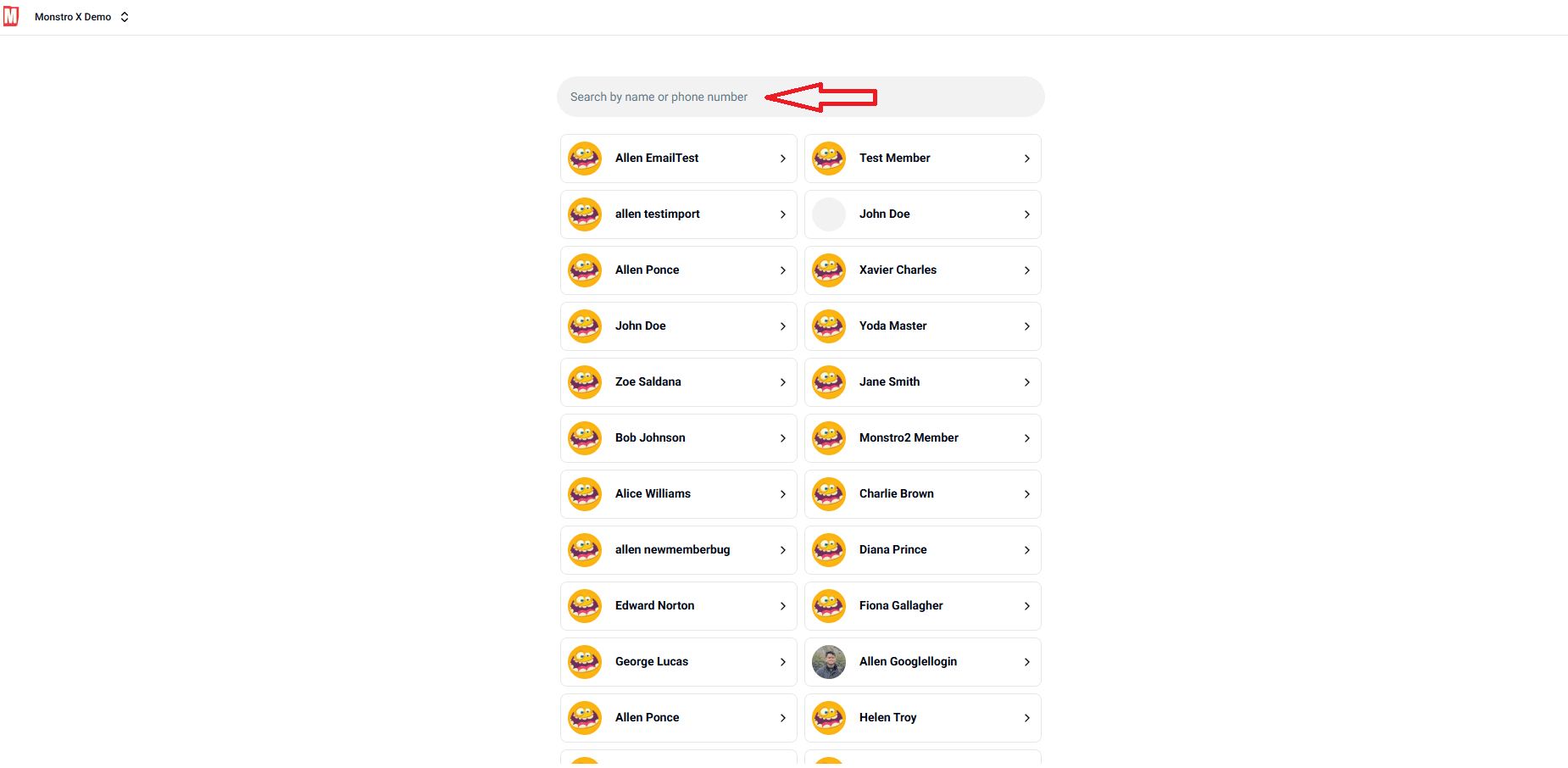
  • Select the right name and hit Check-In

Copyright © 2026 8BitApps LLC. All rights reserved.